How to Log In to Your BizzApp.io Account
Learn how to securely log in to your BizzApp.io account and access your ERP workspace.
Step-by-Step Instructions
Step 1 — Open the BizzApp.io Login Page
Visit the BizzApp.io website and click Login to open the account login page.
Step 2 — Enter Your Username
Enter the username associated with your BizzApp.io account.
Step 3 — Enter Your Password
Enter the password you created for your account.
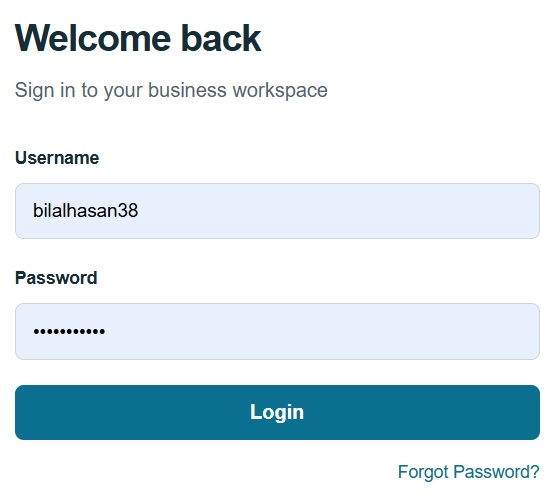
Step 4 — Click Login
Click the Login button. If your credentials are correct and your account is active, you will be signed in to BizzApp.io.
Step 5 — Access Your ERP Workspace
After a successful login, you will be taken to your BizzApp.io ERP workspace, where you can access the modules and features available under your account and subscription plan.
Having Trouble Logging In?
If you are unable to log in, first make sure that you are using the correct username and password. Also check that there are no extra spaces when entering your login details.
If you have forgotten your password or are still unable to access your account, use the available password recovery option or contact BizzApp.io support for assistance.
Security Note
Keep your BizzApp.io login credentials private. Never share your password or password setup/reset link with anyone. Always sign out when using BizzApp.io on a shared or public device.